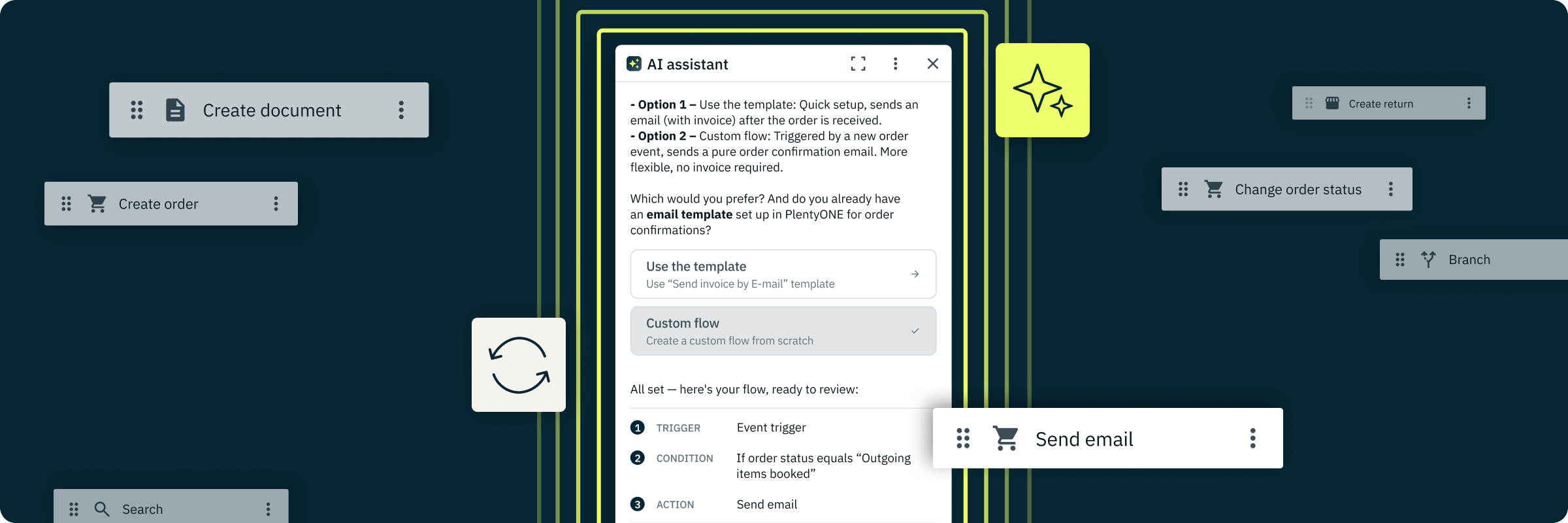
Flow AI: Build, Manage, and Troubleshoot Automations in Plain Language
Configuring flows has always required knowing Flow logic, available actions, and how they interact with your system setup. Flow AI reduces that learning curve, so you can focus on what you want to automate, not on how the system works. Describe what you need, ask what something does, or tell it what went wrong, and it responds with actions, explanations, or solutions.
| 💡 |
Before you start: Flow AI requires a one-time activation by a system administrator. Go to Settings → AI Settings and toggle the switch for “Flow AI” to enable it for your account. The feature will then be available to all users through the AI Assistant in Flow Studio.
|
AI-supported automations from A to Z
From building new flows from scratch to understanding existing ones, modifying configurations, diagnosing failures, and searching across your entire library — here is what you can do with Flow AI:
- Build flows in plain language: Describe the automation you want. Flow AI creates the flow based on your system configuration — drawing on templates or generating a custom automation — and prepares it for your confirmation before anything goes live.
- Understand any flow instantly: Ask what a flow does and get a step-by-step explanation. Flow AI identifies bottlenecks, explains filter conditions, and surfaces configuration issues without requiring you to read the setup manually.
- Search across your entire library: Find every flow containing a specific action, trigger, or setting with a single query. Compare multiple flows. Filter by name, type, status, or action used.
- Modify flows safely: Add, remove, or update steps, triggers, filters, and actions. Flow AI respects whether a flow is active or inactive — for active flows, it guides you through a safe copy-and-modify workflow.
- Troubleshoot failures: Show execution history for any flow, identify which step caused a failure, and get a plain-language explanation of the error — without reading raw logs.
- Flow optimisation: Ask Flow AI to detect overlapping or redundant flows and suggests opportunities to combine or clean up your library.
- Issue detection: Flow AI flags loops, feasibility problems, and configuration incongruities — surfacing problems before they cause failures.
- Understand execution outcomes: Ask Flow AI why a flow run did or did not execute and get a plain-language explanation — basic monitoring without opening a support ticket.
- Merge flows: Combine multiple flows into one where it makes sense to simplify your library.
- Context-aware suggestions: Flow AI detects which flows you have selected and proactively surfaces relevant prompts — so you always have a starting point, even if you are not sure what to ask.
Good to know: Flow AI also helps you migrate from legacy tools (e.g. Event Procedures). It explains what existing automations do, helps you understand the underlying logic, and supports the rebuild directly in Flow Studio — so migration becomes a guided process, not a manual reconstruction.
We previewed Flow AI in a recent PlentyONE Unpacked Live session. Watch the walkthrough here (German only):
PlentyONE Unpacked Live: Smarter automation – When AI helps streamline complex workflows ↗️
| ℹ️ |
Flow AI is available on all current PlentyONE plans: Lite, Lite+, Expand, Scale, and Ultimate. Flow AI prepares actions for your confirmation — it does not activate, deactivate, or modify flows without your explicit approval.
|
Here's How to Get Started
- Enable Flow AI: Go to your AI Settings (Settings or Setup » AI Settings) and activate the Flow AI toggle — admin rights required.
- Open Flow Studio: Navigate to Automation » Flow Studio.
- Launch the AI Assistant: Open the assistant via the AI icon in the navigation bar.
Here are a few prompts to get you started:
- "Create a flow that sends a shipping confirmation when an order ships via DHL" — describe the automation and Flow AI builds it, tailored to your system settings.
- "List all flows that send an email" — find every flow containing a send-email action across your entire library, instantly.
- "What does this flow do?" — get a plain-language, step-by-step explanation of any flow's logic, triggers, and actions.
- "Why did this flow fail?" — ask about a specific execution and Flow AI identifies the step that caused the failure and explains what went wrong.
| ℹ️ |
Flow AI can read your system configuration and flow data to provide contextual assistance. No personal customer order data is used in the process.
|
Shape the future of AI-driven features with us
Flow AI is currently free to use for all customers on current plans. During this test phase, our AI capabilities are included in your feature set as we discover together how they best support your specific workflows. We will keep you transparently informed about future pricing models and further developments as they evolve.
Importantly, you retain full flexibility. You can use these features now without any future obligation to continue using them on a paid basis.