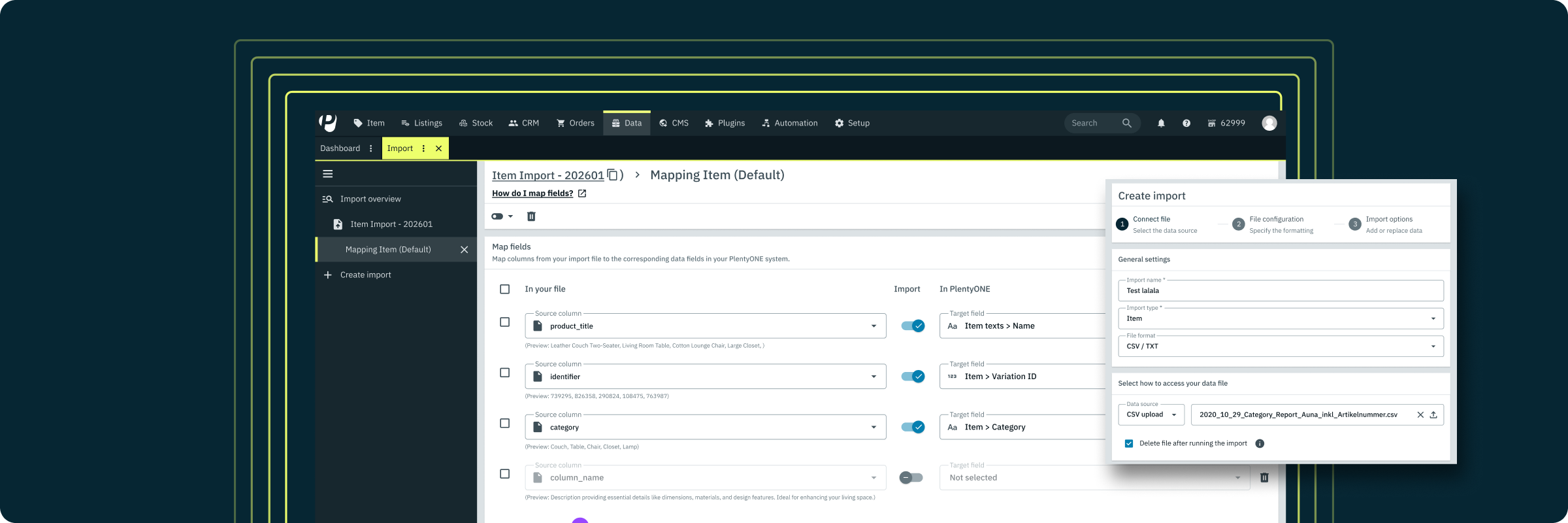
Now available: New Import User Interface with Guided Configuration and Mapping
A faster, simpler way to import data
We are excited to announce a significant update to the data import process within your system. This revamp replaces technical complexity with a structured, guided experience designed to make data management more intuitive for everyone.
Rationale behind the change
User feedback highlighted that the previous import process often felt overwhelming, particularly when tracing errors or configuring complex mappings. We have redesigned the interface to eliminate these friction points and increase your daily efficiency.
Key benefits of the new user interface
-
Step-by-step guidance: A structured flow leads you through setup, mapping, and execution.
-
Enhanced visibility: Clearer feedback and error reporting help you identify and fix issues instantly.
-
Improved usability: New bulk actions and refined mapping screens reduce manual effort.
-
Full compatibility: The new interface works seamlessly with your existing imports and workflows.
Transition period and access
Starting 21 January, you will find both versions available in your system. To distinguish them, the previous interface carries a Legacy tag, while the revamped version is marked as New. We will announce the final deactivation of the legacy import separately at a later date.
Support and Resources
To explore the new interface, navigate to the data exchange section in your system. This instructional video walks you through the entire process of creating an import, mapping the fields, and running the data integration:
For detailed instructions or assistance, please visit our user manual or contact the support team via the Service Desk.
Thank you for your continued feedback as we work to improve your experience with PlentyONE.