Introducing Tiered Access to Functions for All PlentyONE Plans
We are transforming how you access and use Functions. By moving away from an "all-or-nothing" approach, we are introducing structured access depending on your PlentyONE plan that allows you to explore the feature at your own pace. This change ensures you can integrate formula-based data manipulation into your daily operations without facing initial complexity.
Formula-based Data Manipulation
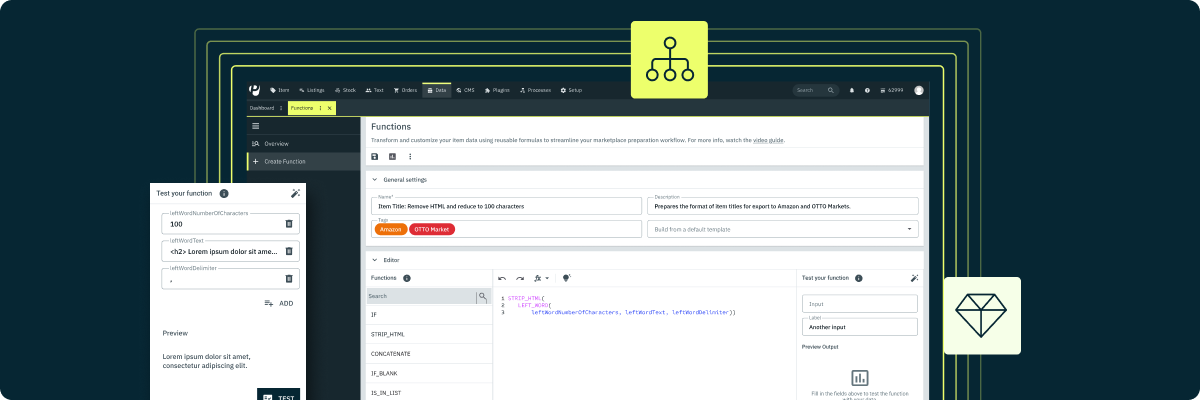
Functions allow you to apply powerful, Excel-like formulas to your product data. Functions can cover a wide range of use cases, so you don’t have to manually adjust item information. They come on a dedicated interface, which makes it easy to create and manage Functions. You can use pre-built base functions or combine multiple options from a comprehensive library to build powerful, custom solutions without code.
Functions are fully integrated into familiar PlentyONE workflows and can be applied directly within catalogues, Channel Maps, and import processes. With this transformation logic you ensure that the right values are retrieved into and transferred out of your system.
Check out our showcase to get a first glimpse of the possibilities of Functions:
Showcase - Functions: The formula(s) for confident product listing ↗️
New features for a more robust experience
We have used this development cycle to implement several enhancements that make the tool more powerful and intuitive. These updates directly increase the usability and value of your data manipulation environment:
- Refined management: Experience an updated, safer way of deleting functions.
- Enhanced navigation: Use new filters to find and organise your workflows faster.
- Improved testing: Benefit from adjustments to the test data generator for more accurate simulations.
Scalable growth for your business
This update introduces plan-based thresholds, granting base execution and editor access to everyone. Depending on your PlentyONE plan, you can use a set number of preconfigured base functions and custom functions. These thresholds create a foundation where your automation capabilities grow alongside your business requirements.
To get started, head to Data » Functions in your system and dive deeper into the feature with our tutorial:
Tutorial - Functions: Formula-based Manipulation of Item Data for Marketplace Export ↗️
Shape the first iteration
While advanced features remain in the discovery phase, we encourage you to test these new tools. Please share your feedback to help us refine our roadmap.