Automation only unlocks its full potential if it triggers reliably. Until now, identifying why a flow didn't start despite a valid event trigger—like a status change—required manual investigation. The new "Filtered flow runs" view in the Flow Tracker provides immediate clarity on why a Flow did not run as expected.
Pinpoint Blocked Executions Instantly
You have configured your event-based Flows to be initiated if a primary condition - such as an "Order status change" to "Status 6" - applies. Despite the trigger event occurring, an automation may still not run, usually because an additional filter blocks the execution.
Instead of guessing why an order update didn't trigger a workflow, the new "Filtered flow runs" view specifically identifies the flows that did not start, and highlights the filter criteria—such as country, marketplace, or payment method—that prevented it from initiating.
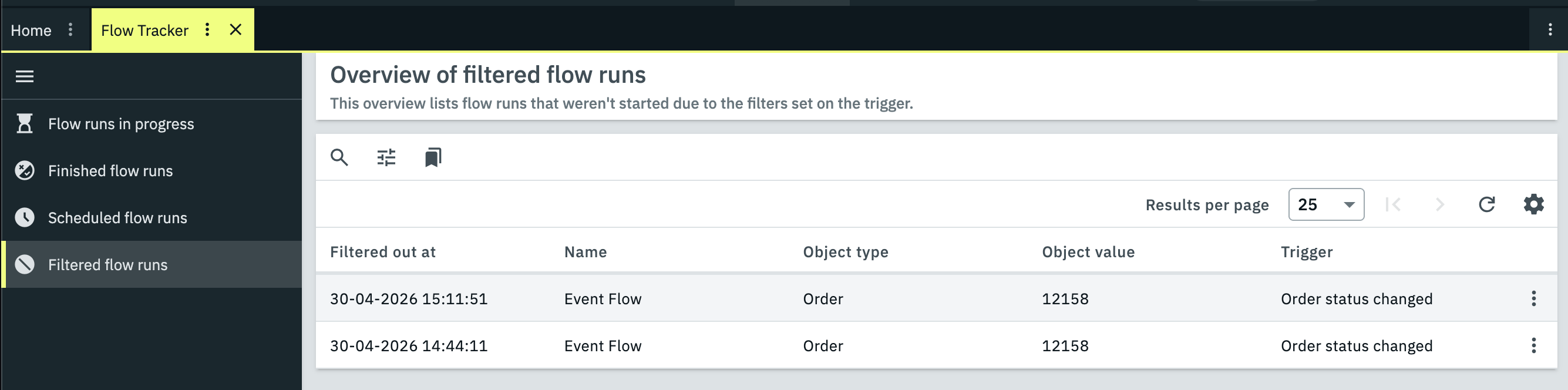
Screenshot: Overview of filtered flow runs
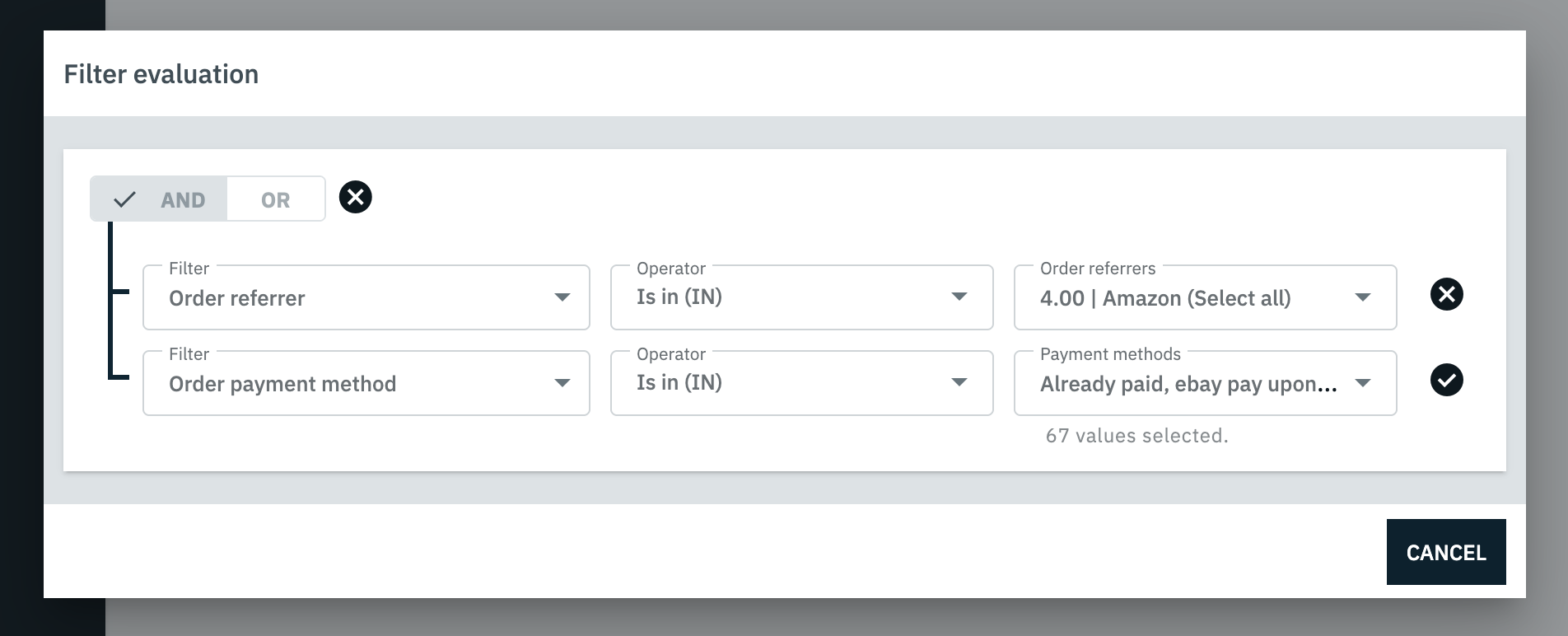
Screenshot: Detail view of filter evaluation
Streamlined Troubleshooting Workflow
By showing you which criteria blocked execution, you can refine your settings with precision and ensure that automated processes trigger exactly when intended. This direct feedback loop reduces manual monitoring and increases operational reliability.
To analyse your recent executions, navigate to Automation » Flow Tracker and select the Filtered flow runs view from the side navigation.
The "Filtered flow runs" view is only available on PlentyONE plans (Lite, Lite+, Expand, Scale, Ultimate) and the old 'plentyONE' contract.
Not on one of these plans? Switch now to unlock access. Contact Sales ↗️